Price Alert
Found it cheaper? Let us know!
Price Alert
Found this product cheaper elsewhere? Submit details and we'll try to offer a better price!
✓
Alert sent successfully!
We will contact you shortly with a better price offer.
You may also be interested in
TimeInPixels Nobe Color Remap – zrób silne wrażenie idealnym kolorem! Kontrola, której potrzebujesz. Kolor, który chcesz. Nobe Color Remap upraszcza proces postprodukcji bez poświęcania jakości. Doświadcz czystszych, bardziej precyzyjnych wyników i mniej bólów głowy podczas pracy nad idealnym kolorem!.
Znalazłeś ten produkt taniej gdzie indziej? Prześlij szczegóły, a postaramy się zaoferować lepszą cenę!
✓
Alert wysłany pomyślnie!
Skontaktujemy się z Tobą wkrótce z lepszą ofertą cenową.
TimeInPixels Nobe Color Remap OFX Lite
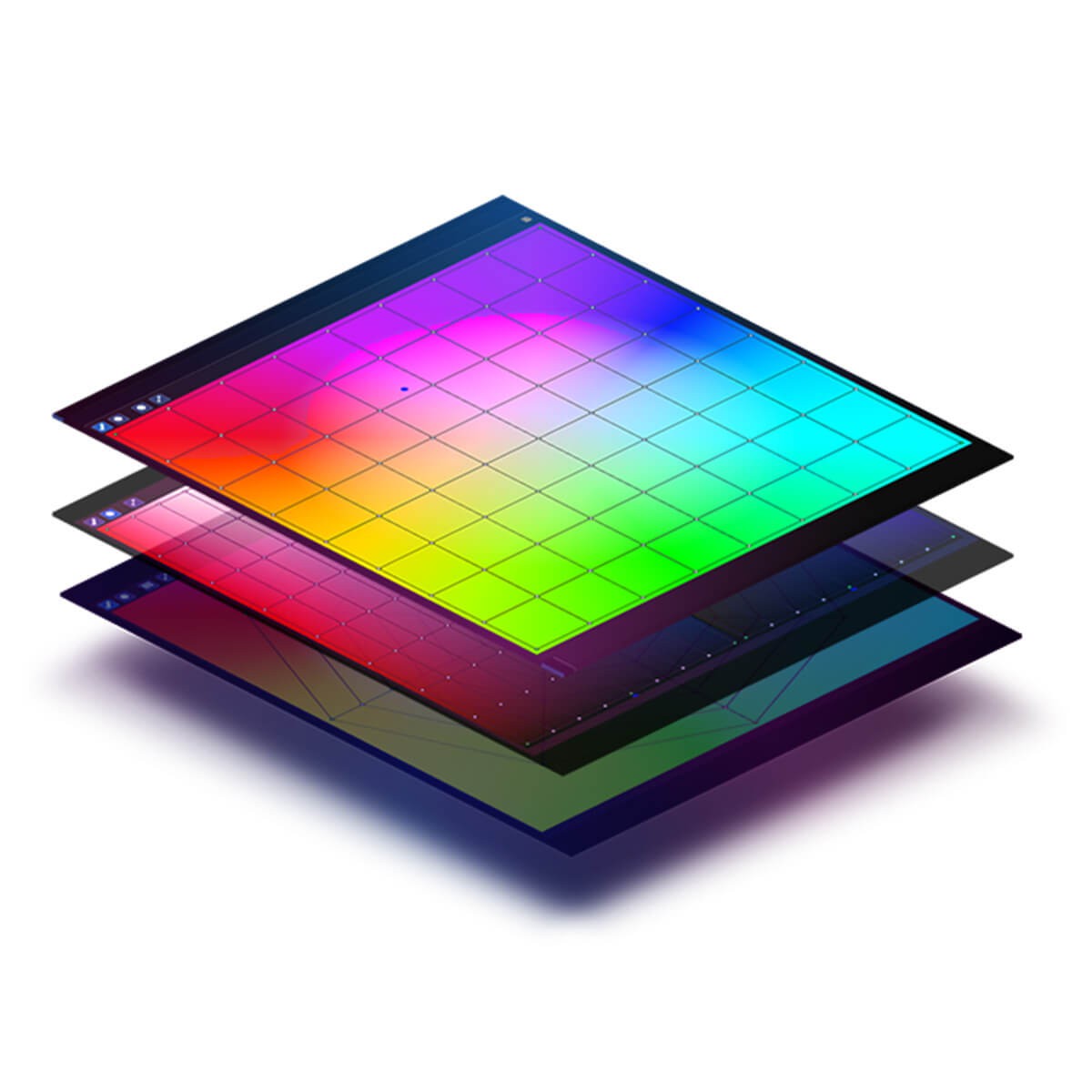
Nobe Color Remap is a plugin that is used to work on color. The user interface is mainly a "Color wheel" with a grid and control points. The mesh can be circular or rectangular in shape. Moving the control point will repaint the color under the control point to the color where we moved it. So, moving the anchor point from red to yellow will shift the red color in our image to shades of yellow. The main task of the plugin is to ensure that the result is of the highest possible quality and causes the least possible loss of image quality.
Window view modal
Hue/Sat grid (circular and rectangular grid)
Lum/Sat grid
Hue/Lum grid
OpenCL & CUDA GPU acceleration
3 different color spaces (HSP, HSV and HSL)
Smooth saturation mode
Color distribution graph
Color picker
Basic grid operations:
Saturation slider
Contrast slider
Smooth option
The plugin also works in the second mode, where instead of color and saturation, we can remap brightness, depending on the color shade. For example, we can darken only shades of blue (sky), without any changes to other color shades.
Interface
The plugin can operate in 2 modes (depending on the platform we are working on)
Overlay Mode (Pro version only),
Window Mode
Overlay Mode In “Overlay” mode, the user interface appears directly on the image (in Davinci Resolve). We can scale and move it freely so that it does not overlap our workspace. The main advantage of this mode is the fact that the result of our changes is immediately visible on the external monitor.
System requirements Plugin works on Windows and macOS:
Windows 7 or newer,
macOS El Capitan or later, DaVinci Resolve, Premiere Pro and After Effects,
macOS Sierra for Final Cut Pro X
Graphics card with CUDA, OpenCL or Metal support (macOS).
The plugin requires an active Internet connection to activate the license.
Available platforms Currently, the plugin works with the following programs:
DaVinci Resolve,
Adobe Premiere Pro CC,
Adobe After Effects CC,
Adobe Photoshop CC,
Final Cut Pro
The Pro version has all the features of the Lite version plus:
Window view modal
Hue/Sat grid (circular and rectangular grid)
Lum/Sat grid
Hue/Lum grid
OpenCL & CUDA GPU acceleration
3 different color spaces (HSP, HSV and HSL)
Smooth saturation mode
Color distribution graph
Color picker
Basic grid operations:
Saturation slider
Contrast slider
Smooth option
+
Overlay mode directly in the browser
ACES support in overlay mode
Instant monitoring on an external monitor in overlay mode
3D LUT import and export
Macbeth Chart
6 additional LOG color spaces (HSV LOG, HSV LOG2, HSP LOG, HSP LOG2, HSL LOG, HSL LOG2) intended for working with FLAT images.